
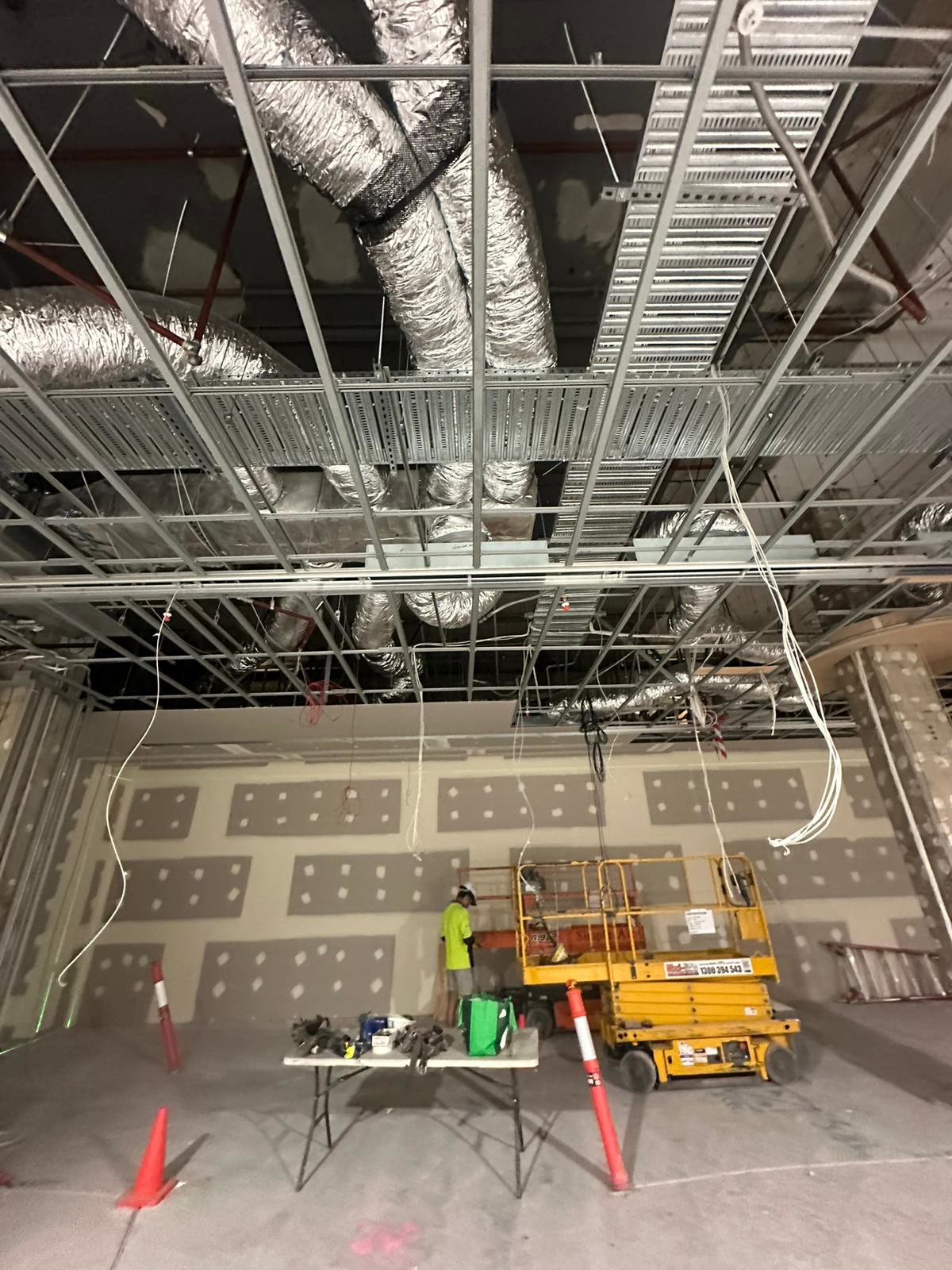
Office data cabling is the structured network of outlets, cable and patch panels that connects every desk, screen, camera and wireless access point back to a central comms rack. The decisions that matter are how many outlets and where, Cat6 or Cat6A, and whether the comms room has the power, space and ventilation it needs. All of them have to be settled before rough-in, because once the walls are lined, adding an outlet means opening one back up.
Fitting out an office?
Send through the floor plan. We’ll mark up the data points and the power together, before the walls go up.
Data cabling is the part of a fitout that nobody thinks about until it is too late to change. It gets treated as an IT problem, sorted at the end, and then somebody works out that the desks moved, there are four outlets for eleven people, and the wireless access points have nowhere to plug in. The cable itself is cheap. Deciding where it goes is the expensive bit, and it has to happen early.
What structured cabling actually is
Structured cabling is the whole system rather than a single cable. Each outlet in the wall or floor box runs back, unbroken, to a patch panel in a central comms rack. Nothing is daisy-chained and nothing is joined halfway. From that rack, short patch leads connect each run to the switch that puts it on the network.
The reason it is built that way is that it makes the office rearrangeable. When a team moves, you re-patch at the rack rather than pull new cable through the ceiling. A tenancy cabled properly can be re-laid out three or four times over its life without an electrician setting foot in it again.
How many data points, and where
This is the single decision people get wrong, and it is always in the same direction: not enough.
A reasonable starting point is two outlets per desk, then dedicated points for everything that is fixed in place. In practice that means the printers, any wall-mounted screens in meeting rooms, the door access controller, each security camera, and critically every wireless access point.
Two per desk sounds like plenty until one desk grows a docking station and a desk phone, or the layout changes and a run of desks shifts three metres to the left. During rough-in an additional outlet is a length of cable and a few minutes. After fit-off it is a plasterer, a painter and a day of somebody's time.
The one people forget: ceiling points for wireless access points. An access point is a cabled device that happens to broadcast. A big open-plan floor may need several, and they need cable in the ceiling exactly where the AP goes. Deciding that after the ceiling grid is in is a bad day.
Cat6 or Cat6A?
Both will run a modern office. The difference is headroom, and headroom is really a question about how long this tenancy has to last.
| Cat6 | Cat6A | |
|---|---|---|
| 1 Gbps | Full 100 m run | Full 100 m run |
| 10 Gbps | Shorter runs only, around 55 m depending on conditions | Full 100 m run |
| Cable itself | Thinner, easier to pull and terminate | Thicker, needs more tray and space, slower to terminate |
| Suits | Straightforward offices feeding desks and phones | Long runs, dense access points, long tenancies |
For most Sydney office fitouts Cat6 is genuinely enough. Cat6A earns its money where the runs are long, where the wireless will be upgraded at least once over the life of the lease, or where you simply do not want to think about it again. Because Cat6A is bulkier and slower to terminate, it changes the tray sizing and the labour, so it belongs in the planning conversation rather than being swapped in on site.
The comms room is not a cupboard
The rack has to live somewhere, and that somewhere gets picked late and badly more often than not. A comms room or rack needs four things:
- Power, usually a dedicated circuit, and often on its own protection so somebody resetting a breaker does not take the network down with it.
- Ventilation. A rack full of switches makes heat, and a sealed cupboard cooks them. This is the one that quietly shortens equipment life.
- Space to work. Enough clearance at the front and back to actually get at the patching, not a rack wedged behind a door.
- A sensible position, roughly central, so no run exceeds 100 metres. That limit is real, and a rack shoved in a far corner of a long floor is how you discover it.
If the tenancy's distribution board is already tight, the dedicated comms circuit is another good reason to look at the board during planning rather than halfway through.
Wi-Fi does not remove the cable
"We're all wireless" is one of the more expensive sentences in a fitout. Wireless changes where the cable ends, not whether it exists. Every access point is cabled. Printers, screens, point-of-sale terminals and cameras all sit better on a wire than on a contended wireless network shared with forty phones.
What wireless does change is the shape of the job: fewer desk outlets, more ceiling points, and more thought about where the access points go so the coverage is even.
Testing, certification and who is allowed to do it
Two separate things have to be right here, and people routinely assume one covers the other.
The fixed electrical work must be done by a licensed electrical contractor and certified, which is the same requirement covered in our guide to what's involved in a commercial electrical fitout. Separately, telecommunications cabling that connects to a carrier network has to be carried out or supervised by a cabler registered under the ACMA cabling provider rules, and signed off with a cabling compliance record.
The cabling should also be tested and the results handed over. A proper channel test on each run tells you the link actually performs to the category it was sold as, rather than merely looking neat behind the plate. Ask for the test results as part of handover. A cabler who tests properly will hand them over without being asked twice.
Where it lands in the programme
Data cable goes in at rough-in, alongside the power and lighting, while the walls and ceilings are open. It is run and left coiled at each position. At fit-off, once the space is lined and painted, the outlets and the patch panel get terminated, labelled and tested.
Which means the number and position of every data point has to be locked before the plasterers arrive. That is the deadline that matters, and it usually falls earlier in the build than clients expect.
The bottom line
Get the data cabling right and it is invisible for a decade, and the office can be rearranged whenever the business changes shape. Get it wrong and you are cutting into finished walls in year one. The decisions are not complicated, but they are early: how many outlets and where, Cat6 or Cat6A, and a comms room with power, air and room to work.
If you have a fitout coming up anywhere across Sydney, send through the floor plan and we will mark up the data and the power together before anything gets built. You can get in touch here or call Tom on 0406 551 293.